
How Google Tag Gateway and sGTM Stack Up for Modern Tracking
Tracking is at the heart of everything we do online. It’s how web environments have existed since the very beginning. But changes to how browsers store cookies and an increasing desire for privacy online have erroded traditional tracking.
Over the last decade, the tech giants have introduced solutions to restore some of that lost tracking. Google added server-side integrations to Tag Manager in 2020. In 2021, it was Meta’s Conversions API rolled out across all standard events.
Just 3 months ago, Google announced Google Tag Gateway – a new way to turn your existing browser pixels into first-party tags.
But which one should you set up first? What are the right circumstances to use both? Answering these questions are core considerations for a sophisticated measurement strategy.
Whether you’re a marketing manager dealing with attribution gaps or a media buyer trying to optimize campaign performance, let’s compare the two and learn what the differences are and which one to use when.
Curious about the setup. Check out full setup guides:
TL;DR
Google Tag Gateway and Server-Side GTM both make your tags appear first-party, but serve different needs:
- Google Tag Gateway: Best for most advertisers. Easier setup, moderate cost, recovers 70-85% of lost tracking
- Server-Side GTM: Enterprise solution. Complex setup, high cost, but recovers 90-95% of tracking with full data control
Quick decision: Under $250k/month ad spend? Choose Google Tag Gateway. Over $250k with technical resources? Go server-side.
So Long, Traditional Browser Tracking
We’ve reviewed the difference between first-party and third-party cookies before. Traditional browser tracking has historically relied very heavily on third-party cookies.
This worked for years to supply conversion data, cross-site behavior, and retargeting across the open web.
Key Benefits:
- It’s free!
- Easy to set up through Google Tag Manager
- Broad support across platforms
However, in recent years, privacy browsers and a renewed emphasis on less pervasive tracking (Apple’s iOS 14.5 update) have created challenges with traditional browser tracking.
Weaknesses:
- Dependent on third-party cookies
- Blocked by privacy browsers
- Blocked by ad blockers
Over the last 5 years, workarounds have been developed all routed in the same goal: restore visibility lost from browser tracking.
What Both Solutions Have in Common
At their core, Google Tag Gateway and sGTM share the same goal. To improve user tracking on the web without the use of third-party cookies.
How they do it: Make tags looks first-party vs third-party
First-party tags are a vital part of website functionality, so are not blocked as widely. This reduces the instances of ad blockers and cookieless environments hiding activity online.
Use cases for the two setups also overlap significantly – they are both the primary tagging setups for:
- Google Analytics
- Google Ads
This is, however, where the similarities end.
The Key Differences: CDN vs Server-Side
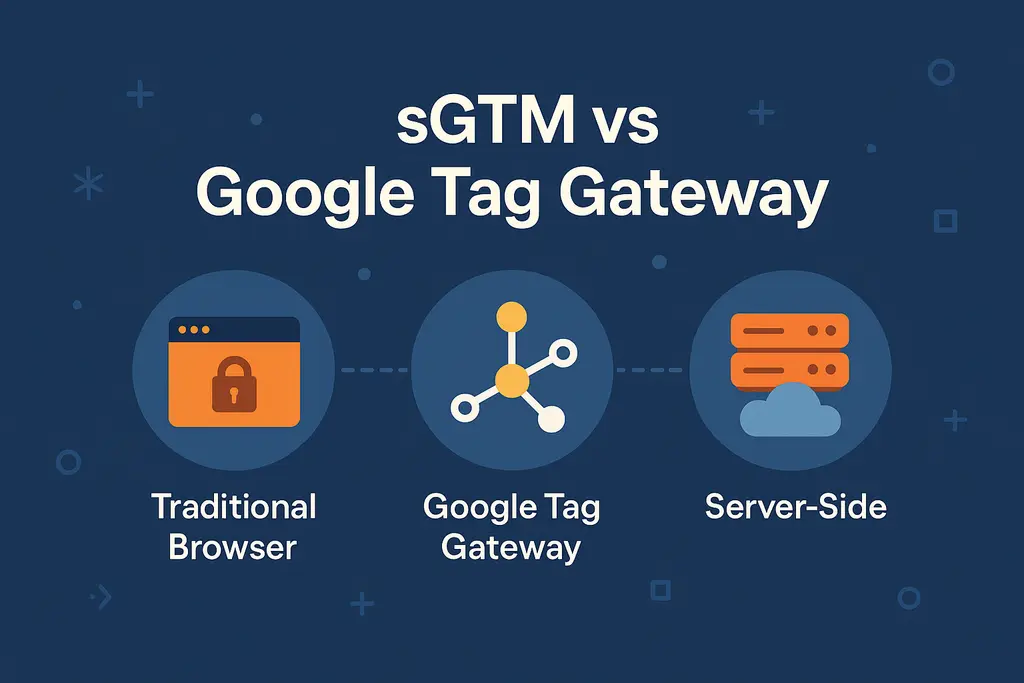
Looking at the differences between all three tracking methods, we can see they ultimately come down to how data is processed:
- Traditional → Browser sends data to platform (third-party)
- Google Tag Gateway → CDN masks browser tag → sends data to platform (first-party)
- sGTM → Server to server connection, independent from browser (first-party)
In addition, there are differences in setup complexity, control, and cost to factor in.
Traditional: Browser to Platform
Takeaway: An absolute must for all advertisers
By far the most accessible thanks to codeless implementations through Google Tag Manager. This form of tracking is the bare necessity for ad campaign setup.
However, due to tag blocking susceptibility, estimates range from 30-50% of tracking lost.
Google Tag Gateway: CDN Masking
Takeaway: Best balance of simplicity + effectiveness
Using a CDN to mask third-party tags has some complexity involved in setup (unless you’re using Cloudflare).
However, the use of existing tags mean that the lift in building out new tracking is minimal. It’s a great option for advertisers looking to level-up their tracking without immense manual work.
The real upside: First-party tags can restore 50-70% of the tracking lost to browsers/ad blockers.
sGTM: True Server-to-Server
Takeaway: The most robust solution but heaviest technical lift.
Server integration similarly only relies on first-party cookies in the browser – a much more resilient setup. However, it comes with the downside of requiring complete new builds of tracking logic in the server environment.
Despite this, the level of control over data and enrichment that can happen in the server (think offline data) open up a world of possibilities.
It’s estimated that server-side tracking captures 95%+ of events lost in the browser.
Which Method Should You Choose?
The right choice depends on your tracking infrastructure maturity, and how much control you need over data quality, enrichment, and reliability.
Monthly ad spend is a good way to determine which to set up. This is because they can (especially for server side) be expensive to implement.
Minimum Monthly Ad Spend
- Less than $50k/month: Traditional browser tracking or Google Tag Gateway automated setup
- $50k-250k/month: Google Tag Gateway manual configuration
- $250k/month or more: True server-side integration
The reason for such a high threshold on Google Tag Gateway and server-side integration lies in the development process.
Estimated Setup Time
- Traditional Browser Tracking: 1-2 hours
- Google Tag Gateway: 2-4 hours (automatic) or 10+ hours (manual)
- Server-Side Integration: 25+ hours (depending on complexity)
Both Google Tag Gateway (manual) and server side require development work which adds significant cost to the setup process.
Take this into account when considering your organization’s needs.
The Clean Comparison: Browser, CDN or Server?
When it comes down to it, we can bucket tracking methods into categories. Each with unique benefits and drawbacks.
As you evaluate your needs, keep these factors in mind.
| Feature | Traditional Browser | Google Tag Gateway | Server-Side GTM |
| Setup Complexity | Very Low | Medium (reuse existing tags) | High (custom build) |
| Time to Setup | 1-2 hours | 2 hours (automated) 10+ hours (manual) | 25+ hours |
| Resistance to Ad Blockers | Low (50%-70% coverage) | Medium (70-85% coverage) | High (90-95% coverage) |
| Data Control | Very Low | Low-Medium | High |
| Data Enrichment | None | Limited | Full (backend integration) |
| Cost | Free | Moderate (infra + config) | High (server costs + dev) |
| Ideal Use Case | Small Advertisers ($50K/month or less) | Small advertisers (automated) Mid-scale ($50K/month or more) [manual] | Enterprise or data-mature orgs ($250k+/month or more) |
Of course, there will be exceptions to these rules, but these factors are guidelines to smart decision making.
Recommendations for Advertisers
As we move further toward a privacy-focused digital environment, taking steps to future-proof tracking is becoming ever more necessary. Even with Google’s decision to walk back on 3rd party cookie deprecation, the broader trend is clear: reliance on traditional browser-based pixels will continue to erode.
Google Tag Gateway is an excellent gateway (no pun intended) to enhancing browser tracking for Google properties, and should be a focus for any organizations with mid-large scale advertising programs. For mid-to-large advertisers, the payoff in restored signals more than justifies the investment.
Server-side tracking, on the other hand, provides a long term, scalable solution. While technical in setup, it offers complete control and resilience against further browser changes. For organizations planning to grow their data capabilities, it’s a strategic move worth serious consideration.
Even if you are content to use traditional browser methods, understanding the strengths and limitations of each approach now puts you in a stronger position. When the next major shift in privacy or cookie policy arrives—and it will—you won’t be scrambling to catch up. You’ll already be prepared.